Hyper-V Replication Software from NAKIVO
Ensure business continuity with fast, reliable Microsoft Hyper-V replication. Instantly switch to offsite virtual machine replicas during system failures or cyberattacks and keep your operations running without disruption.
NAKIVO Recognized as One of the Honorable Mentions
2024 Gartner® Magic QuadrantTM
Enterprise Backup and Recovery Software Solutions

Minimize Risk, Maximize Uptime
Stay ahead of disruptions with fast, automated Hyper-V replication that protects critical systems – even during major outages. Cut recovery time, reduce overhead and manage backup, replication and recovery across multiple environments from one web-based platform.
Solution Brief
16,000+ Businesses Rely on NAKIVO

Why NAKIVO for Hyper-V VM Replication
Fast, Reliable Replication
In case of failure, power on incremental, app-consistent Hyper-V replicas at an on-premises or cloud-based secondary site. Failover in seconds and prevent data loss with multiple recovery points and flexible retention.
Guaranteed Recovery
Automated testing ensures that your Hyper-V replicas are bootable and ready for failover – no surprises during a real disaster.
Ransomware Resilience
Create VM replicas directly from backups stored in immutable repositories and safeguard operations with 2FA and access controls that prevent unauthorized changes even during an attack.
Automated Failover and DR
Minimize downtime with near-instant failover and fully automated disaster recovery workflows. Easily boot Hyper-V replicas and run complex recovery sequences with a single click.
Performance Optimization
Optimize bandwidth and storage by excluding unnecessary data, limiting network usage and accelerating transfers without overloading your infrastructure.
Multi-Tenancy for RaaS Providers
Deliver replication as a service with ease. Manage multiple isolated environments, allocate resources and monitor usage from a single web interface.
NAKIVO Earns Recognition in
Gartner® Peer InsightsTM Voice of the Customer Report for Enterprise Backup and Recovery Software Solutions
*Based on 427 all-time reviews as of February 2024
**Based on 36 reviews as of February 2024


Hyper-V Replication Solution That Keeps Your Business Running

Efficient Incremental Replicas
Speed up replication and save storage with incremental Hyper-V replicas using Microsoft’s Resilient Change Tracking (RCT). After an initial full replica, the NAKIVO solution transfers only changed data blocks.

Replication from Backups
Save time and resources by replicating directly from Hyper-V backups instead of production systems. Use Job Chaining to automatically run replication immediately after backups.

App and Database Consistency
Ensure replicas are application-consistent with support for Oracle Database, Exchange Server, SQL Server and Active Directory. App-Aware Mode uses Microsoft Volume Shadow Copy Service (VSS) to flush data before creating a VM checkpoint.

Verified Recoverability
Ensure that your replicas are usable and can be recovered when a production VM is down. The NAKIVO solution powers on VM replicas with networking disabled to verify recoverability.

Automation Protection
Streamline replication with policy-based data protection. Automatically replicate VMs that meet custom criteria, simplifying ongoing replication management across large enterprise environments. Extend functionality and integrate seamlessly with third-party tools using HTTP APIs for monitoring, orchestration and custom workflows.

Near-Instant VM Failover
Reduce recovery time by automating the entire VM failover process and network reconfiguration. When a production Microsoft Hyper-V VM is down, you can almost instantly switch to the VM replica and resume operations with no downtime.

Comprehensive Site Recovery
Automate VM disaster recovery workflows for planned and emergency scenarios. Keep your replicas up to date, schedule non-disruptive DR tests and configure planned failover, emergency failover, failback or datacenter migration. Once created, DR sequences can be launched with one click.

Layered Security
Create replicas from immutable, encrypted backups or from backups stored on air-gapped media such as tape, ensuring resilience against ransomware and data tampering. Strengthen security with strong encryption methods, two-factor authentication and role-based permissions, so only authorized users can access critical data and data protection tasks. These safeguards also help you meet data-integrity and retention requirements tied to common compliance standards.

Optimized Performance
Speed up Hyper-V replication with LAN-free data transfer and boost performance even further with built-in Network Acceleration, doubling replication speed without adding network load. To ensure smooth operations even in busy environments, flexible bandwidth throttling lets you control replication’s bandwidth requirements, with custom rules and schedules that keep your network running efficiently.

Replication Staging
The initial full Microsoft Hyper-V replication requires that a lot of data be transferred through your network. Run staged replication to speed up the process and reduce the load. Transfer the VM backup or replica to a target location using removable media. Then, create a new replica and map the source VM to the transferred one.

Storage Space Optimization
Reduce Hyper-V replica storage requirements by excluding swap files and unnecessary partitions during replication. Enable automated log truncation for Microsoft Exchange Server and SQL Server to clear app logs after each replica, keeping disk usage efficient and your environment optimized.

Multi-Tenancy for RaaS Providers
Deliver Replication-as-a-Service (RaaS) and manage up to 100 isolated tenants from a web-based management console. Offload data protection tasks to tenants and let them manage their isolated IT environments via the Self-Service Portal.
Affordable Pricing for Hyper-V Replication
Customer Testimonials

Thousands Choose NAKIVO.
4.8 Stars Say Why








Ready to Get Started?
What’s New in NAKIVO Backup & Replication
Stay ahead with powerful new enhancements designed to boost backup speed, security and efficiency. Check out NAKIVO’s latest updates and capabilities.
Resources

How NAKIVO Protects Hyper-V VMs

11 Reasons IT Teams Choose NAKIVO for VMs

NAKIVO Backup for Hyper-V Datasheet
FAQ
What platforms can I protect with NAKIVO?
With NAKIVO Backup & Replication, you can protect the following environments and platforms:
- Virtual: VMware vSphere, Microsoft Hyper-V, Nutanix AHV, Proxmox VE
- Cloud: Amazon EC2 instances
- Physical: Windows/Linux-based servers and workstations
- SaaS: Microsoft 365
- Oracle Database
What are the different deployment options?
You can deploy NAKIVO Backup & Replication on physical servers (Windows and Linux), NAS, as a pre-configured virtual appliance (VMware vSphere and Nutanix AHV) or an Amazon Machine Image (AMI). Deployment usually takes 2-5 minutes. If you need help with setting up NAKIVO Backup & Replication, you can book a FREE deployment session with our tech specialist.
What is Hyper-V replication?
Microsoft Hyper-V replication creates and regularly updates an exact copy (replica) of the source virtual machine (VM) on a target site. These replicas are powered off and, thus, don’t consume any resources. In case of a server failure, virus, or natural disaster, replicas are booted on another Hyper-V host to restore business operations with minimal downtime. For a step-by-step walkthrough of setting up Hyper-V replication with native Windows tools versus the simpler NAKIVO configuration, see our Hyper-V replication setup guide.
What are ransomware-free backups and how can I use them for replication?
You can protect your backups from ransomware by sending them to offline tapes or immutable repositories. These storage types guarantee that nobody can access your data. So you can be sure that the backups that are stored there are ransomware-free. Use these backups to create VM replicas and restore your production site.
Can I schedule Hyper-V replication activities?
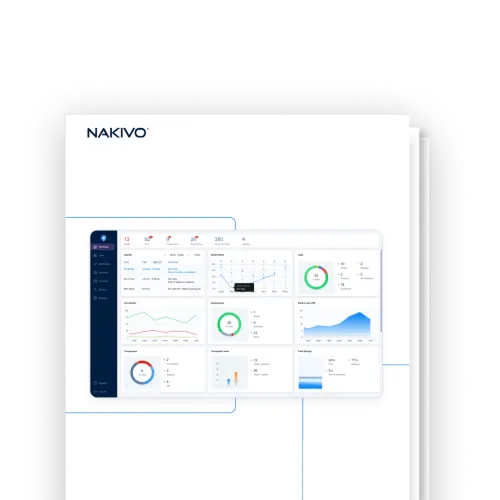
Yes. NAKIVO Backup & Replication has a convenient Calendar dashboard that gives you a bird’s-eye view of all your backup and replication activities. Flexible scheduling options let you navigate, schedule or edit replication workflows right in the dashboard to ensure that there are no overlaps.
What’s the difference between screenshot and boot verification methods?
NAKIVO Backup & Replication uses boot and screenshot verification methods to ensure that your Hyper-V replicas can be successfully booted on a new host (the replica server). Once the replication process is finished, the solution disables the network and powers on the Hyper-V replica. After verifying that the OS is running, NAKIVO Backup & Replication emails you a report (boot verification) or a screenshot of the booted OS (screenshot verification).